
Ansible is an open-source configuration management system used to automate infrastructure management, application deployment, system configuration, and orchestration.
You can manually install and configure exporters or use Ansible to automate the process.
Ansible consists of a control node and one or more managed nodes. It uses an inventory (a list of managed nodes) and playbooks (collections of tasks to run on those nodes).
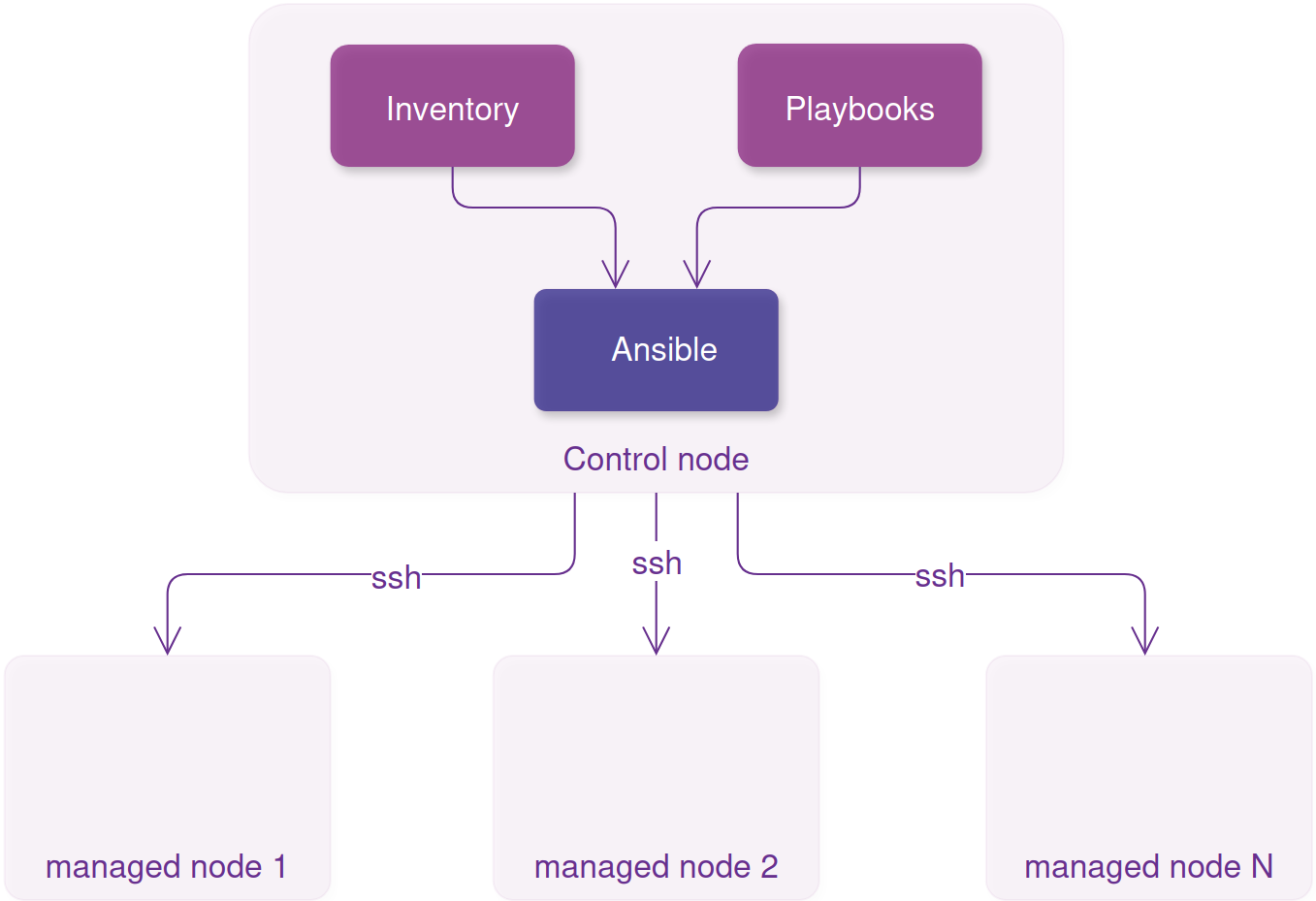
Installing and configuring Ansible involves the following high-level steps:
-
Create dedicated
ansibleuser. -
Configure privileges for
ansibleuser on managed nodes. -
Secure authentication for user
ansiblewith ssh key -
Install Ansible on control node.
-
Secure authentication for user
ansible.
1. Create ansible user
-
Create an
ansibleuser on the control node and on each managed host.
sudo useradd ansible --comment "Ansible Automation User"
sudo passwd ansible
2. Configure privileges for ansible user on managed nodes.
-
To configure
sudoaccess so the non-rootansibleuser can securely run administrative commands without logging in as root on control node run:
nano ansible
-
In text editor insert the following line:
ansible ALL=(ALL) NOPASSWD: ALL
-
Copy sudoers configuration file for each managed node:
sudo scp ansible user_with_sudo_privileges@managed_node_hostname_or_ip_address:/tmp/
ssh -t user_with_sudo_privileges@managed_node_hostname_or_ip_address "sudo chown root:root /tmp/ansible && sudo chmod 440 /tmp/ansible && sudo mv /tmp/ansible /etc/sudoers.d/"
3. Secure authentication for user ansible with ssh key
-
Generate an SSH key pair on the control node as the
ansibleuser:
sudo su - ansible
ssh-keygen -t ed25519 -C "ansible@control-node" -f ~/.ssh/id_ed25519 -N ""
where:
-t Specifies the type of key to create.
-C Provides a new comment.
-f Specifies default path where keys are stored
-N "" Empty passphrase
-
Copy the public key to each managed host:
ssh-copy-id managed_node_hostname_or_ip_address
4. Install Ansible on control node
-
To install Ansible run:
Debian (Ubuntu)
sudo apt update
sudo apt install ansible-core
-
In order to test Ansible is configured correctly create inventory file
nano inventory.ini
with the following content
[all]
managed_node_hostname ansible_host=managed_node_ip_address ansible_user=ansible
...
replace managed_node_hostname and managed_node_ip_address with your data
ansible_user=ansible option tells Ansible to connect to your managed hosts using the ansible user, not your login username.
and run
ansible all -i inventory.ini -m ping
If all configured correctly, you should have output similar to following
[WARNING]: Host 'ubuntu-2' is using the discovered Python interpreter at '/usr/bin/python3.14', but future installation of another Python interpreter could cause a different interpreter to be discovered. See https://docs.ansible.com/ansible-core/2.20/reference_appendices/interpreter_discovery.html for more information.
ubuntu-2 | SUCCESS => {
    "ansible_facts": {
        "discovered_interpreter_python": "/usr/bin/python3.14"
    },
    "changed": false,
    "ping": "pong"
}
[WARNING]: Host 'rhel-2' is using the discovered Python interpreter at '/usr/bin/python3.12', but future installation of another Python interpreter could cause a different interpreter to be discovered. See https://docs.ansible.com/ansible-core/2.20/reference_appendices/interpreter_discovery.html for more information.
rhel-2 | SUCCESS => {
    "ansible_facts": {
        "discovered_interpreter_python": "/usr/bin/python3.12"
    },
    "changed": false,
    "ping": "pong"
}
5. Secure authentication for user ansible.
-
To disable user
ansibleto login with password on all managed hosts, run single ad hoc command:
ansible all -i inventory.ini -m shell -a "sudo usermod -L ansible"
You should see output similar to:
[WARNING]: Host 'ubuntu-2' is using the discovered Python interpreter at '/usr/bin/python3.14', but future installation of another Python interpreter could cause a different interpreter to be discovered. See https://docs.ansible.com/ansible-core/2.20/reference_appendices/interpreter_discovery.html for more information.
ubuntu-2 | CHANGED | rc=0 >>

[WARNING]: Host 'rhel-2' is using the discovered Python interpreter at '/usr/bin/python3.12', but future installation of another Python interpreter could cause a different interpreter to be discovered. See https://docs.ansible.com/ansible-core/2.20/reference_appendices/interpreter_discovery.html for more information.
rhel-2 | CHANGED | rc=0 >>